Creating custom recolors for those interested
Hey guys. I was kinda bored at work today, so I learned how to recolor skins. It's a pretty easy thing to do and anyone can learn in half an hour using Google and Youtube.
If anyone has a request, just post it in the comments and I'll try to make it. I'll be making them tomorrow morning and maybe Monday at work.
To save some time for both you and me, try to give complete informations about what you want. For Example:
> Hey, I'd like a Demon Ryze. I want his skin bright red, his beard white and his tattoos grey. If possible, add some yellow and purple details to his clothes.
Alternatively, you could just pick a picture of the champion, and paint as you'd like on Paint or any other image editing tool. If painting is too much effort, just put some arrows colored with the color you want pointing at the piece you want with that color.
Details:
I'll be uploading the .dds, .skl, and .skn files through Mega. I'll drop the link both as an answer to the request and I'll put it in the bottom of the post. Just download the folder with the files and save them somewhere easy to find.
I won't mess around with models, as my 3D editing skills are horrible.
I probably won't be changing other skins other than the base skin, as I'm not sure if it's allowed (if it is, I'll gladly do it, just please provide me some evidence).
For installing, I recomend using Wooxy. How? Pretty easy. Follow these steps: 1- Open Wooxy. 2- Click "Skin Collection" 3- Click "Import Skin" 4- Click "Add Files" 5- Browse until you find the Folder in which the .dds .skl and .skn files are saved 6- Hold ctrl and left click the 3 files 7- Click "Open" 8- Click "Save" 9- Name it (and put Author and stuff if you want) 10- Click "Save skin" 11- A pop up will show asking if you want to install it. Click "Yes" 12- Open a custom game to see if worked. *It will override the base skin, so select THE BASE SKIN in the skin selection.
Here are the images of my first shot at it:
Demon Ryze Demon Ryze - Other View
DISCLAIMER: Using custom skins is against the ToS, as they are qualified as Third Party Programs. However, Rioters have stated quite a few times they they won't be banning custom skin users. If anything happens, it will be probably due to some automated program detecting it. If such a thing happens, I strongly advise you send a ticket to Riot's support. Your account may be banned if you meddle with any of the game files, even though it's very unlikely.
Second, smaller, less important, Disclaimer: I have no idea of how many people will want something like that. I'm probably able to make about 5 or 6 this weekend, so I'll be choosing what seems cooler.
LINKS:
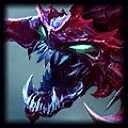 Dark Cho'Gath - DOWNLOAD
Dark Cho'Gath - PIC
Dark Cho'Gath - DOWNLOAD
Dark Cho'Gath - PIC
 -
- FeatureBug: Translucent lower body
Warm Aurelion Sol - DOWNLOAD
Warm Aurelion Sol - PIC