Can't Bind Mouse Button 1 to Player Movement.

Gall··2 votes·4,595 views

I was messing around with the practice tool and I bound MB4 and MB5 to player attack move click so that I could practice using that, but after I used it a couple times the client unbound my basic movement of MB1 and bound it to MB2. I tried changing it back to MB1 but nothing happens to the client if I click the MB1 when it prompts me to bind a key. In fact, I can't bind anything to MB1 in the entire client. MB1 by itself just doesn't exist according to the client. I can bind shift+MB1 to player movement, but MB1 by its self does not work.

Can anyone suggest a fix to this? Game is completely unplayable without being able to the left mouse button to move.

3 Comments

Metal Janna1 votes

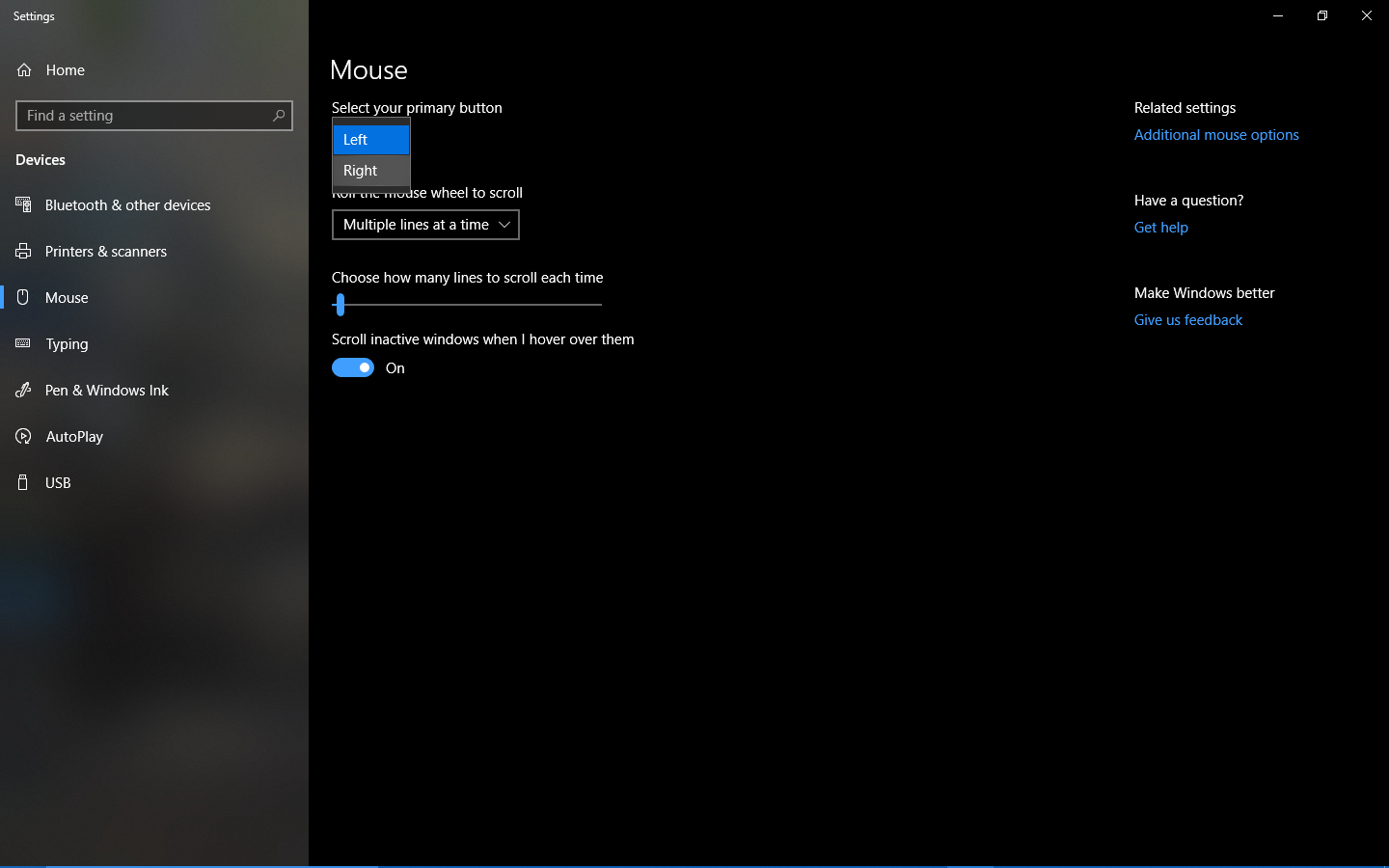
MB1 is your "select things" button in-game. Riot won't let you rebind "important" keys, so you'll need to get creative. Assuming you're running League on Windows, here's your workaround: https://i.ibb.co/643SLyX/Swap-primary.png

Too bad you can't swap "alt" around like that. [slayer-jinx-unamused]

Gall1 votes

{quoted}

MB1 is your "select things" button in-game. Riot won't let you rebind "important" keys, so you'll need to get creative. Assuming you're running League on Windows, here's your workaround: https://i.ibb.co/643SLyX/Swap-primary.png

Too bad you can't swap "alt" around like that. [slayer-jinx-unamused]

I've been playing using the left mouse button for 5 years and until this very comment I never realized most people play with the right mouse button as their default movement

Metal Janna1 votes

{quoted}

I've been playing using the left mouse button for 5 years and until this very comment I never realized most people play with the right mouse button as their default movement

Huh. I have no idea how you did that. I tried rebinding "alt" to "target champions only" a while back and found out League just won't let you rebind certain keys. I figured MB1 would be the same.

More from Report a Bug

More by Gall