[Pixel Art] I made another thing
Older things I made (Diana, Leona, prototype Caitlyn) at this link: http://boards.na.leagueoflegends.com/en/c/fancreations/bQWtodoU-i-made-a-thing
Older things I made (Diana, Leona, prototype Caitlyn) at this link: http://boards.na.leagueoflegends.com/en/c/fancreations/bQWtodoU-i-made-a-thing
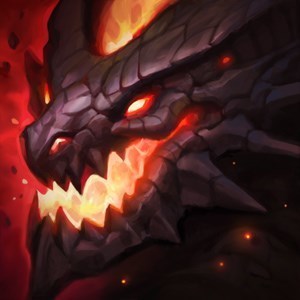 Ironclad Dragon1 votes
http://fc08.deviantart.net/fs71/f/2014/232/3/c/pixel_nocturne_by_akantorking-d7w1aj2.png
How is your pixel thing so large?
 NinetyNineTails1 votes
I tweaked the Adjust Size... in OSX Preview until it did more or less what I wanted. The image itself is 800x717 or so; if you look close, you can see where the enlargement routine tried to soften the pixels. The actual pixel image is 29x26, more like your Noc there.
Ironclad Dragon1 votesI'm using Paint. Is there any way to soften the pixels as you did?
NinetyNineTails1 votesTo be honest, I didn't intend to soften the pixels, in the larger version, at all. I just wanted it to be bigger so the forums would show it better. You might try looking for an 'interpolation' option, or something about anti-aliasing. I don't know Paint.
Ironclad Dragon1 votesHow do you make things bigger than without using more pixels?
NinetyNineTails1 votesI don't know what the function would be called in Paint, but in Preview (which I just use for some very basic image manipulation, it's quite primitive), it's 'Adjust Size'. You can change the size of an image, so I just increase it to something like 800 in the longest dimension. Done properly, it'll just scale up the image and it'll retain its 'pixelness' while appearing larger.
 Elphrihaim2 votes
In MS Paint, create the bitmap
Then, take the bitmap and save it as a .png
Then press Ctrl+W, and skew the image, and you will get the fuzzy "softened" edges.
If you want to keep it hard-edged, having the pixels selected before you skew will maintain it.
:p
Ironclad Dragon1 votesThanks.
 RiotRiot Girl1 votes
moar things!!! i like this thing, too!!!!
 Kao Atlantis1 votes
Keep giving me things to look at! These are too good.
