[Gameplay] Problem with Ingame Timer and Animation Bug

Hey there Boards.
I'm here with not one but actually three bugs that happens to me for a long time now. I already wrote a ticket to support, but after getting no real answer I kinda gave up after waiting 1 day for every another respond only to hear to provide logs and do something, I kinda told them I already did. So I'm coming to you here, if anyone, have ever encountered same problem, or helped someone with those problems.
So, here are my problems, I will try to keep it as much simple as I can. (Aaand sorry for my lack of english sentence making)
First of all, Cooldowns. This bug is occuring to me since I started playing LoL (4 years?)
Cooldowns on abilities that have long cooldown (inc. Summoner spells) are bugged for me. But I know why actually. It is because of the In-game timer. It actually runs faster than it should resulting in this problem. When I use my Flash  , and I ping my cooldown to the chat, it says actual cooldown, 300s. When I do it when cooldown on ability hits 0, and I ping it again, in chat it says that 5 second cooldown remains. So I must wait those 5 seconds. Now I know I know, it is still the same cooldown, it is still 300s just the game timer runs faster and shows it on icon. But that is problem, When I plan a play, I'm counting on my icons, and I won't ping my spells in middle of the fight to check if their cooldown is ready.
Second, the game sometimes slows down. This bug is occuring now for 6 months.
I think this might be related to that timer of ours as well. Sometimes, like, once per 15 seconds, the game for a second, second and half slows down. It's like slowmotion, it goes down to about 70-75% of usual speed. This applies to Minions, spells (well, here it is tricky. Let's give an example. I'm Orianna 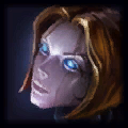 player. When I cast Q from somewhere to somewhere and this bug occurs, the Q damage is applied, yet I still see it moving towards that place), champion movement, and so on. Only thing I haven't noticed it slows are turret shots. They are uneffected.
Now, the third problem.
Ekko's Q and Jinx's R Animation Bug. Aand same as the second one, its about 6 months now.
This is one of the problems that tilts me the most. First, Ekko Q bug. He casts Q, it disappears right when it slows and floats in the air. But thats only on rank 1. Each time the Q is ranked up, different bug occurs. His Q, flies much, MUCH farther than it should, but, it's only animation, and actual position of his Q isn't visible to me until it goes back to him. So, to put it in perspective, imagine me being in a blue team, under my tower in midlane. Ekko against me, at my tower but not within turretshot reach, with Q rank 5 throws his Q at me. Now, it should be in about tower position, maybe slightly behind the tower. But I actually, see it around Wolf Camp. And that is a looot farther than I should see it. Also Ekko's R path (not actual spell, but the spectral character that walks behind him) is acting wierd. Like drunk. You got the path where it should walk, well, noone cares about it, he just goes however he wants to go somewhere, stay there for a while and again go off the path. I actually got video of BOTH of those, but it's shitty quality (https://www.youtube.com/watch?v=MJCOmsu-jrY). If you want to see better quality video of this, just say so and I will do it, this was made in a hurry. On the video you can see the Q on rank 3 and R animation.
Jinx R: This one is different. I see jinx cast her R and sounds. When she casts it, it disappears and so does the sound. But when it explodes, explosion and sound of it is played without any problem. Difference? There are some times, when I can see the projectile fly, like, once every 10 ults.
Okay, so thats for my problems, now 2 things: What I already know/ have done, and What happened with patch 7.9.
What happened when 7.9 came out:
I logged in, updated, went to ranked, nothing special. But wait.. something did happen. All 3 bugs were fixed. At least I thought. It lasted until today and since about 2 AM today is again broken. I did hope, but it wasn't enough.
What I already know?
So, it is caused by a timer, at least 2 of those problems. No, it isn't caused by my network.
What I have already tried/done?
Reinstalling graphic drivers. Cleaning registry through CCleaner. bcdedit /set {default} useplatformclock true command in CMD. Setting maximal priority in Task Manager when the game started. Reinstalling League of Legends into standard directory. Repairing League of Legends in launcher. Repairing League of Legends by Hextech Repair Tool.
I'm also sorry for posting on NA boards when I'm from EUNE, but I saw EUNE boards and I think ppl here will be able to help me more than on EUNE boards.
Feel free to post any suggestions, I will appreciate any advice you can give me. Thanks a lot.