Highlander Tryndamere skin not working

The Highlander Tryndamere skin doesn't display ingame. It shows up as normal Tryndamere instead. I'm able to select the Highlander skin and it shows up properly in the loading screen, but once the game starts you spawn as normal tryndamere. As far as I know this happened when we switched to the new map with Season 5.
To reproduce:
- Log in
- Click Play
- Choose Summoner's Rift, PVP, unranked, 5v5, Team builder
- Click the Champion icon to start choosing a champ
- Choose
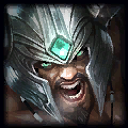 and click next
 - Choose the Highlander skin
- Proceed to join a team as normal
- The loading screen shows Highlander Tryndamere
- Once the game starts, you will spawn as normal tryndamere with the blue armor and sword. Whaaaaa??
Please fix :)