[CLIENT] League of legends screensaver blank screen on windows 10

The league screensaver now only displays a blank black screen when on or previewed, no art is shown anymore.
The league screensaver now only displays a blank black screen when on or previewed, no art is shown anymore.
 Ninjafever3 votes
Just installed the software. Blank black screen.
 ThreshPrìncë3 votes
Yes I have the same issue as well, it was working for the Animated blood moon Diana, Animated Thresh, and Animated Dark Star Thresh but when i added more it stopped working after one animation and now it isn't working at all. I will put a list of the Screensaver i had added when it stopped working below.
List:*

 (close up of face)
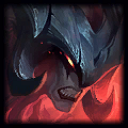


 (this was the skin it stopped working on)
 (Where his wife's soul is in thresh's lantern)

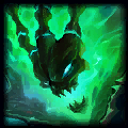

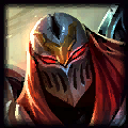

 (When she shoots and camera follow bullet to more champs fighting)
 /
/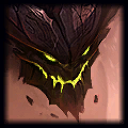 *if no skin name then it is base skin for that champion.
 James IceVeins2 votes
Same for me. It was working last week but not anymore.
 Imagide1 votes
Dead Screensavers for everyone~
 i3lind1 votes
I'm pretty sure this is strictly monitor dependent, but I'm putting it anyways just so others know it's the same problem occurring. I get a solid dark grey screen when the screensavers kick in. Both animated and still screensavers are busted. 
 EpicGamer1021 votes
I've had it working fine for ages and then it stopped working after the new Blood Moon art/animations were added eg. Blood Moon Jhin.
 Sector01 votes
Since nobody at Riot has given anyone a solution to this issue over the past year, at least as far as I can tell, I thought I'd login and share the solution I found.
Run this command in Command Prompt:
del /Q "%appdata%\LolScreenSaver\cefCache\Application Cache\Cache\*"
While I can't guarantee this will work for you, it worked for me and if you run into this problem then this may fix it. The screensaver seems to occasionally have an issue with it's cache so this forces it to regenerate the cache resolving whatever issue it had.
NOTE: It's important that you make sure you type that command exactly as it is, I am not responsible for any accidents that may occur while using that command, PROCEED AT YOUR OWN RISK WHEN USING THAT COMMAND. Loss of data may occur if it is misused. That being said, entering that correctly should fix the issue, no problem.