Ongoing Site Updates
Greetings,
I'll be using this thread to release updates as they come.
9/24/2013
We just released a responsive layout to make better use of larger monitors. This is our first pass, and it's just to get us to a point where we don't have a fixed width container.
Also, we beefed up the size of the profile icons (expect more "personalization" changes coming out soon).
What's coming up? We've been listening to your feedback since the site launched, and are actively working on solving some of the bigger issues that have been expressed. Some more immediate enhancements that will be coming out the door shortly will be involving formatting options (such as being able to embed champions, items, etc...) and profile enhancements.
9/26/2013
Aside from a variety of bug fixes, we're trying out a new font to improve readability! We're still actively working on beefing up the post formatting options, expect those soon!
10/4/2013
We've been rolling out small fixes this last week, but today we released some pretty cool stuff.
Link color updates (both the regular link color, and introduced a visited link color), because that teal/green was just hurting. Thoughts?
Also - we are starting to show change. Basically, when you visit a discussion, and someone else comments in that discussion thread, when you see that discussion thread in the listing page we'll let you know that there are some new comments in that thread. This is just the beginning of how we are going to address showing new comments to help with larger conversations. This starts now, and does not (at this moment) transfer between devices.
See my Miss Fortune?  How about
  or
or  ? Check out the formatting guide for examples. We're working on an easy to use toolbar, so you don't have to look up ids. There will also be more quality of formatting improvements rolling out this week, such as addressing strikethrough.
Oh, and you can now custom text link things without having to use the full URL, and strikethrough using two tilde symbols around you're text (see formatting guide).
10/8/2013
We just rolled out a simple discussion preview when you hover your mouse over a discussion title in the listing view. It's very basic right now. We're simply making use of your browser's tooltips. We'll beef up the presentation of the discussion preview tooltip over time, but I wanted you to have the preview sooner rather than later.
Also, aside from the occasional bug fix these past few days (such as some issues reported with the champion/item/summoner spell embeds), we've been making slow introductions and preparations for profiles. We'll turn them on throughout the week.
10/14/2013
Identity! We imported quite a bit of profile information from vBulletin, including certain groups (such as Wrenchmen, Huntsmen, Council and Adjudicators). We also now have support for custom titles and avatar overrides. We haven't imported everyone's avatar over yet!
We also fixed a couple of small issues, including some styling and content formatting bugs.
Next: We have a huge update coming out (either tomorrow or Wednesday) that easily shows new comments in a discussion.
10/15/2013
Show Change! That little "# new" link on discussion listings now clicks through to a view that lets you see the new posts that you've missed.
We have a lot of exciting things in the oven: integrated polls, formatting toolbar, and being able to report a post to name a few.
** 10/21/2013**
Easter eggs! We rolled out a couple hidden easter eggs today. I'll give a hint for one of them - Redtracker API where?
Also, this last week we've been busy with working on preparing to get new features out (such as flagging a post as inappropriate, and polls). We've also been rolling out a few quality of life improvements, including fixing up badges and special group visual treatment (Wrenchmen, Council, etc).
** 10/23/2013 **
On the listing of threads, the voting widget is in now a "disabled" state, encouraging you to visit the discussion before casting a vote.
We still wanted to show the widget because the vote score helps to explain why discussions are sorted. If we only show the vote score (without the vote chevrons), it feels super weird because there's a random floating number with no explanation of what it is. So, we're still showing the vote widget, and message some guidance using our good friend 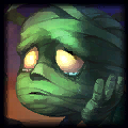 .
.
** 10/31/2013 **
This past week, we've rolled out a toolbar to help with formatting content (starting with making the process of injecting champion, item and spell icons easier). This will evolve to include the assisting with other basic formatting options. We decided to roll our own because as we looked at other off-the-shelf options, they didn't have the right blend of ingredients we were looking for in the experience.
Also, we've included an option to hide the live preview, patched up a couple of bugs (you should not have issues seeing the champion codes instead of the images any more).
Thoughts?
Thanks
NOTICE: After 10/31/2013, I will no longer maintain this thread. Instead, we will make new threads as we continue to make feature updates. There are simply too many little things going on, and it's better to have them in isolated conversations