FEK Features
You can customize FEK to your liking and turn off some features if you don't like them by using the Control Panel.
Avatars and Status Icons
As seen in the first post, there are status indicators. There are many different avatar size options from 100x100 to 200x200.
Fallback Avatars
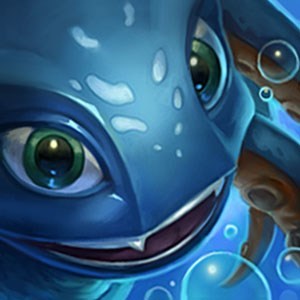
If you would rather not see a person's summoner icon if they don't have a FEK avatar, multiple options are available to replace those. Fizz's Trident, Poro, and Happy Cloud.
http://i.imgur.com/ETJQDlJ.png[/img]
http://i.imgur.com/gN3PoCe.png[/img]
http://i.imgur.com/t9RRqTp.png[/img]
User Pop-up
When you hover your mouse over somebody's avatar, a pop-up box will appear. In it will be many useful links:
- View Profile: Opens up their board's profile in a new window
- View Avatar: Opens up their FEK avatar in a new window
- LoLNexus: Opens up their LoLNexus page in a new window
- OP.GG: Opens up their op.gg page in a new window
- Blacklist: Adds/Removes them from your blacklist
This feature is integral to FEK and can only be disabled if you disable avatars.
http://i.imgur.com/MM0jVEx.jpg[/img]
Enhanced Voting
Hover your mouse over somebody's votes and it will display either the total votes on the post/thread, or it will show individual upvotes and downvotes. By default, the latter is selected but you can toggle it in the FEK control panel.
http://i.imgur.com/lNzShwO.png[/img]
http://i.imgur.com/Q5JYlX9.png[/img]
http://i.imgur.com/NDclSdu.png[/img]
http://i.imgur.com/Skhi8WJ.png[/img]
You also have the option to completely remove votes as well.
http://i.imgur.com/JepoVLn.png[/img]
http://i.imgur.com/XZHsPDi.jpg[/img]
http://i.imgur.com/lNH9YfK.jpg[/img]
Blacklisting
http://i.imgur.com/LqBQjn6.jpg[/img]
To blacklist somebody, hover your mouse over their avatar and click on the "Blacklist" link.
http://i.imgur.com/P5AAevZ.gif[/img]
You will receive an alert.
http://i.imgur.com/tIqUlIH.png[/img]
Click on the "Blacklist" tab on the FEK control panel to view the people you have blacklisted. BEING ABLE TO BLACKLIST YOURSELF, WHILE SILLY, IS INTENTIONAL!
http://i.imgur.com/ncpCHkn.png[/img]
OP Style Change
By having this on, it removes the "style" of the original poster's posts.
http://i.imgur.com/aWBBBJ6.jpg[/img]
http://i.imgur.com/AdRMVxn.jpg[/img]
Enhanced Thread Preview
When you hover your mouse over a thread, a new popup box now appears instantly. Furthermore, champion/item/summoner icons are now displayed as well so you no longer have to see something like !Fizz
http://i.imgur.com/AneV3d3.png[/img]
http://i.imgur.com/YELdMpM.jpg[/img]
http://i.imgur.com/1Zsteqx.png[/img]
Thread Highlighting
Threads you make will be highlighted in a different color so you can see them easier. Below, a thread I made has a black background.
http://i.imgur.com/83yrh32.jpg[/img]
Boards Dropdown Menu
By hovering your mouse over "Boards" at the top, a dropdown navbar will appear.
http://i.imgur.com/yzYIr2F.jpg[/img]
Animated Thumbnails
http://i.imgur.com/LVUrGkC.gif[/img]
http://i.imgur.com/ftgb7vr.gif[/img]
http://i.imgur.com/SMw8Mf0.gif[/img]
http://i.imgur.com/1NdpRHr.gif[/img]
You can also hide thumbnail previews if you want.
http://i.imgur.com/jcg9uVp.png[/img]
BEFORE
http://i.imgur.com/nzDJznR.png[/img]
AFTER
http://i.imgur.com/EYjAJo3.png[/img]
Sticky Navbar
With this option enabled, the navigation bar will always be at the top of the screen.
http://i.imgur.com/VqayMBQ.jpg[/img]
Media Embedding
.webms will no longer show up as a link, and instead be embedded.
In addition to this, YouTube videos will also automatically be embedded.
http://i.imgur.com/9WfilTz.jpg[/img]
Rioters
Rioters have their titles displayed underneath them.
http://i.imgur.com/NDclSdu.png[/img]
Known bugs
- Original poster's votes get displaced when the thread's title is too long
CORRECT
http://i.imgur.com/hTqxaCT.jpg[/img]
BUG
http://i.imgur.com/vDKbskJ.jpg[/img]
- Some people's status icons always show as "away" due to a timezone issue.
Click the link below to download the latest version of FEK.
http://videomatic3.diskstation.me/~tundrafizz/fek/FEK.user.js